 v.7
v.7
Make sure your connection is secure ("httpS:" instead of just "http:"). Click the logo above for a secure connection.
v.7
Make sure your connection is secure ("httpS:" instead of just "http:"). Click the logo above for a secure connection.
Published on: 02/09/2026, 08:25 PM by Software Developer
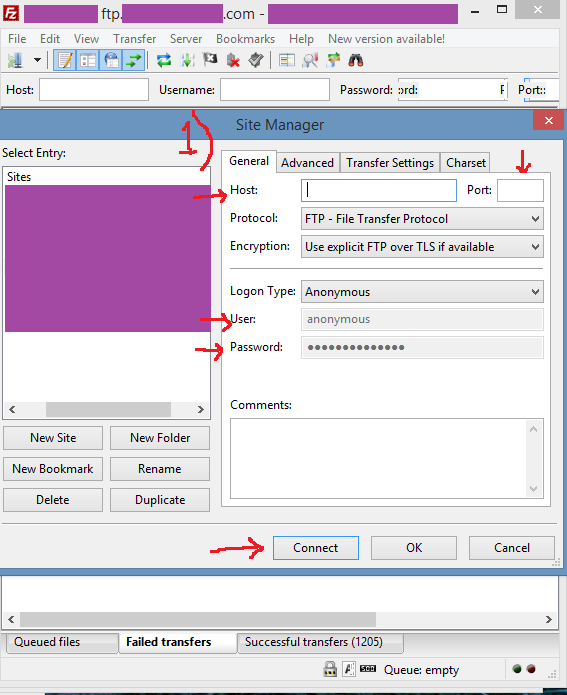
In the top bar:, enter:
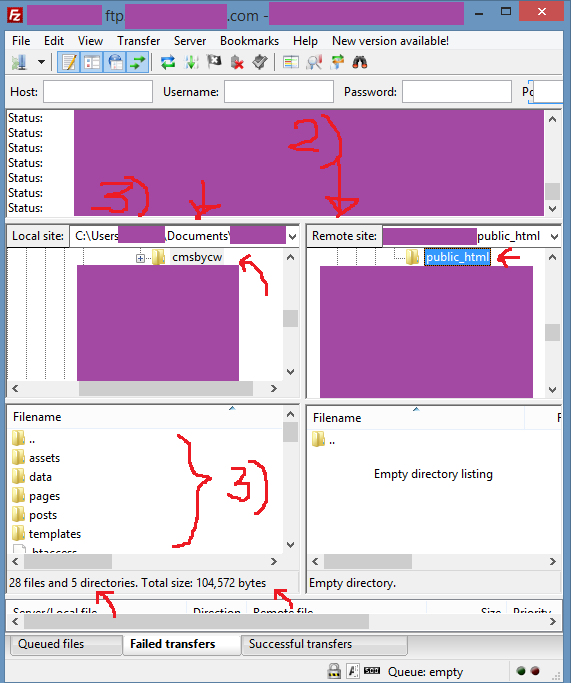
Open the folder where the software should be uploaded.
This is the Local site (your computer).
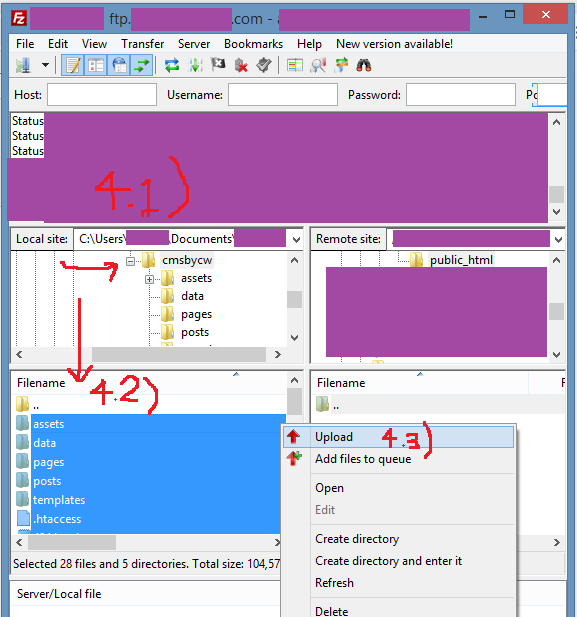
Upload will start immediately.
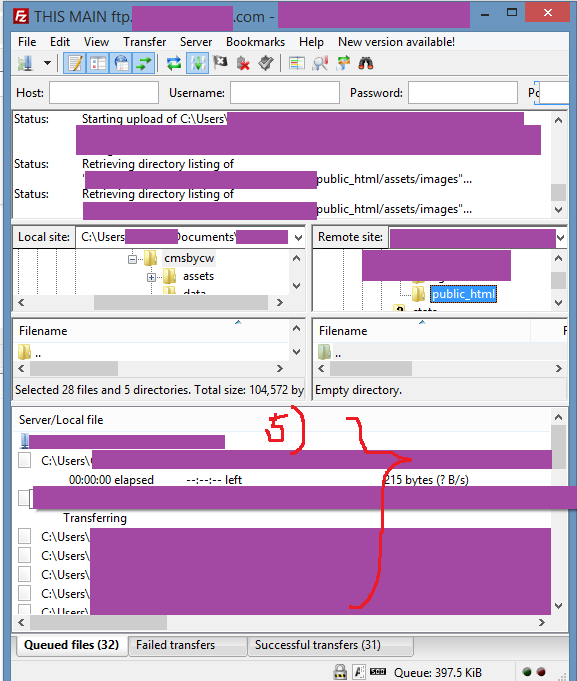
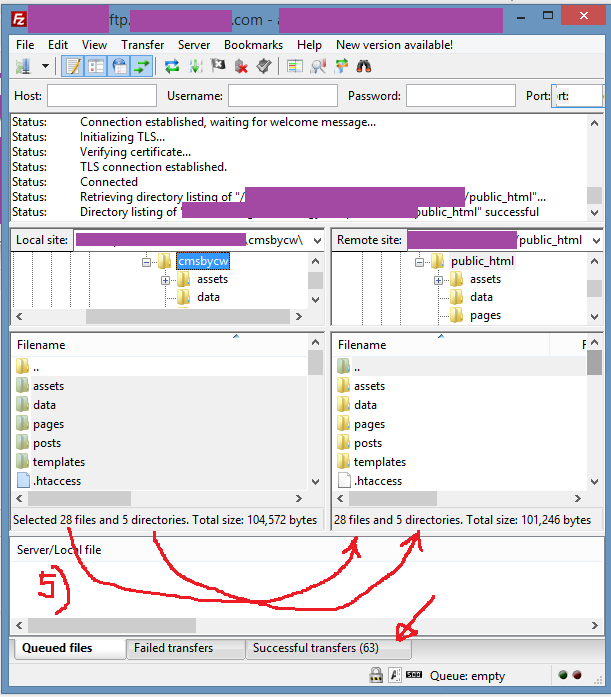
Then you can go to your Browser and type your Domain Name, you should be able to see the Software Package, so just Login. (REMEMBER to change the generic password to your NEW password).
Enjoy!
Or go to the Help Page for other Documentation or Tutorials:
Thank you for visiting our website!