 v.7
v.7
Make sure your connection is secure ("httpS:" instead of just "http:"). Click the logo above for a secure connection.
v.7
Make sure your connection is secure ("httpS:" instead of just "http:"). Click the logo above for a secure connection.
Published on: 03/26/2026, 03:55 PM by Software Developer
If you want to change the CMSbyCW default Header color (darkblue or #1E4C91) to a lighter color (for this example, I will use one of the domains I am deploying, which would use the domains original website colors). The color to change it to is a color lighter than "lightgray" or "whitesmoke".
You just have to change two files:
Go to public_html > Templates > header.php
The style to tweak is
header,
div#header {
 background: #1E4C91;
 color: #fff;
 padding-top: 10px;
 padding-left: 10px;
 padding-right: 10px;
 padding-bottom: 10px;
 }
background: #1E4C91;
To THIS:
background: whitesmoke !important;
color: #fff;
To THIS:
color: #1E4C91 !important;
color: #fff;
To THIS:
color: #1E4C91 !important;
Via FTP (or your webhost's File Manager)
Go to public_html > index.php
Change this:
<header>
<h1>Welcome!</h1>
<a href="login.php" style="color: white !important;">
Login to the CMS
</a>
</header>
To THIS:
<header>
<h1>Welcome!</h1>
<a href="login.php" style="color: #1E4C91 !important;">
Login to the CMS
</a>
</header>
(Note I just followed the Installation and Customization Instructions from the CMSbyCW Central Help Page HERE. (opens in a new page)
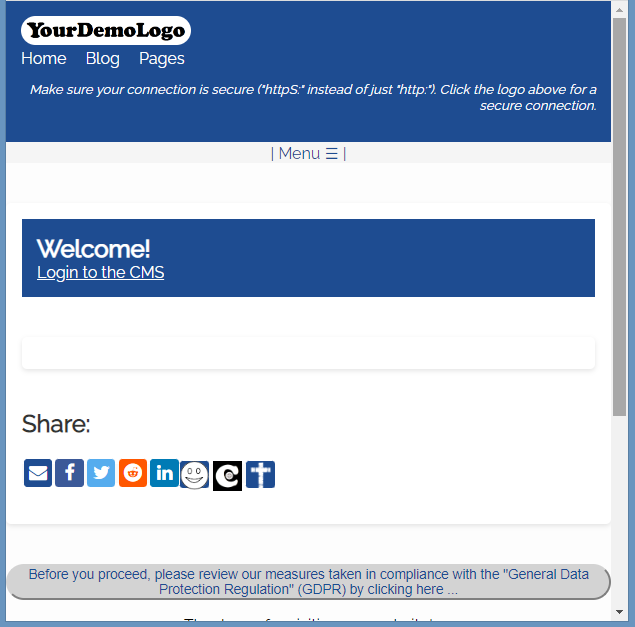
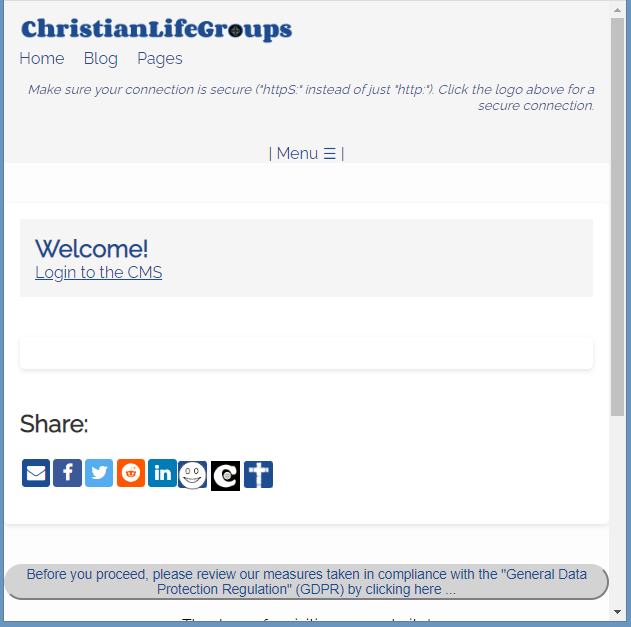
You can make CMSbyCW your own customizable website!
More Features HERE.
Thank you for visiting our website!